 ™
™For families
Help someone you love stay on track.
Aera brings structure and support to daily COPD care at home — simple for them, reassuring for you, even when you can’t be there in person.

Cost & eligibility
What Aera costs, and who it’s for.
What it costs
Aera is usually provided through your clinic. Your clinic checks your coverage before you start and tells you if there is any cost. You never pay Aera directly.
You don’t need to send us medical details to find out.
Who it’s for
Aera is for adults living with COPD. Most people are introduced by their clinician or pulmonary rehab program. If you’re not sure whether Aera is right for you, that’s what the first conversation is for, and there is no obligation.
We understand
Caring for a loved one from a distance is hard.
Between the phone calls, the appointments, and the worry, it’s a lot to manage. Aera gives each day a clear structure and gives you a way to see how things are going.
What you can see
See how their week is going — at a glance.
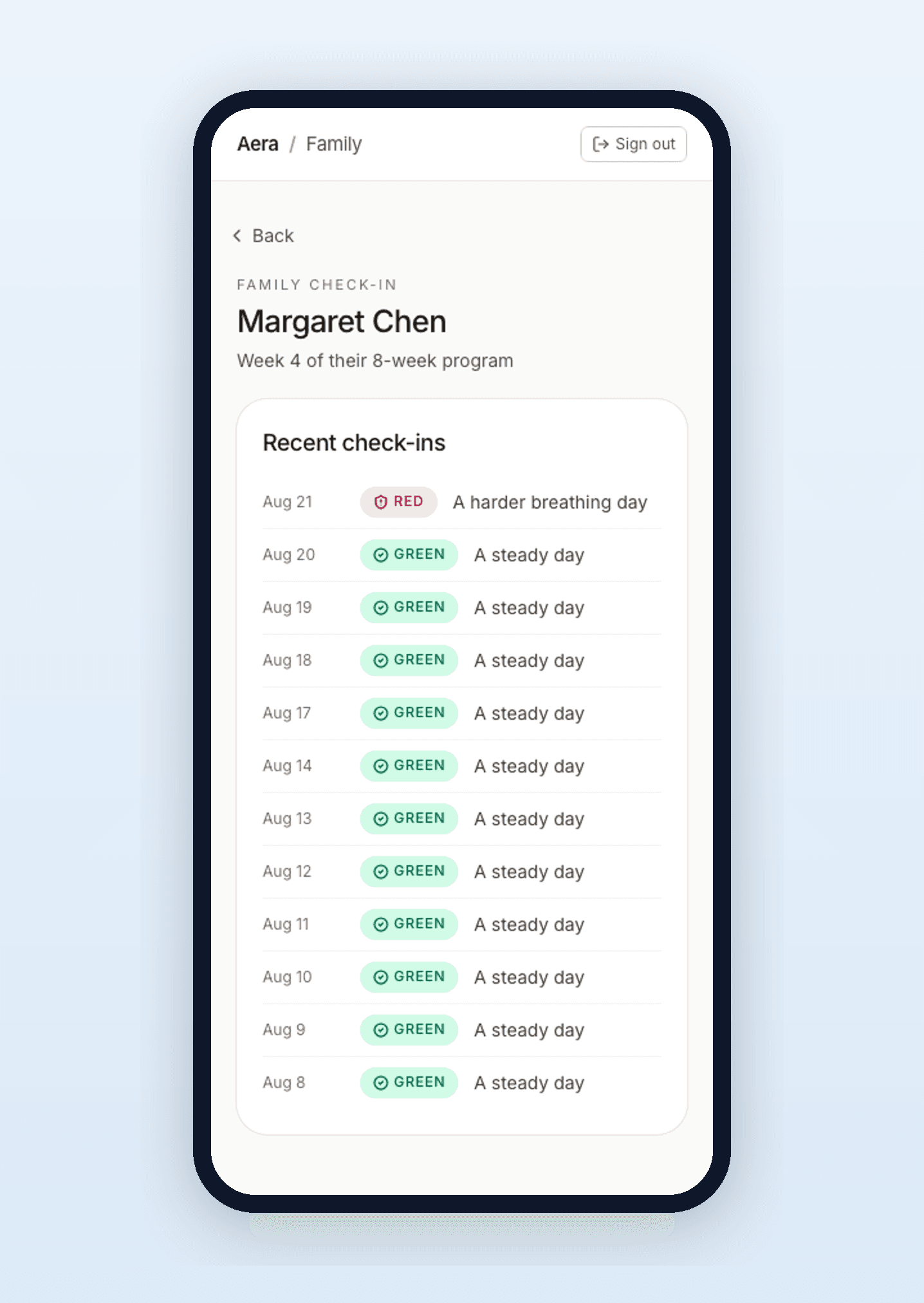
No confusing charts or numbers, just a plain-language summary of which days they checked in and how their breathing has been.
A week you can read in seconds
Which days they checked in, and a simple green, yellow, or red marker for how each day went.
Context, not just alerts
A day with more trouble breathing shows up as a red marker labeled “a hard day,” not as a flashing alarm.
Only what they choose to share
Your loved one decides what appears in your view. You see a summary — never their private messages with their care team.
Built for them
They don’t have to be “good with phones.”
If you’ve bought an app or a device a loved one never opened, you know the real question isn’t whether you can see it — it’s whether they’ll use it. Aera is designed for older adults first.
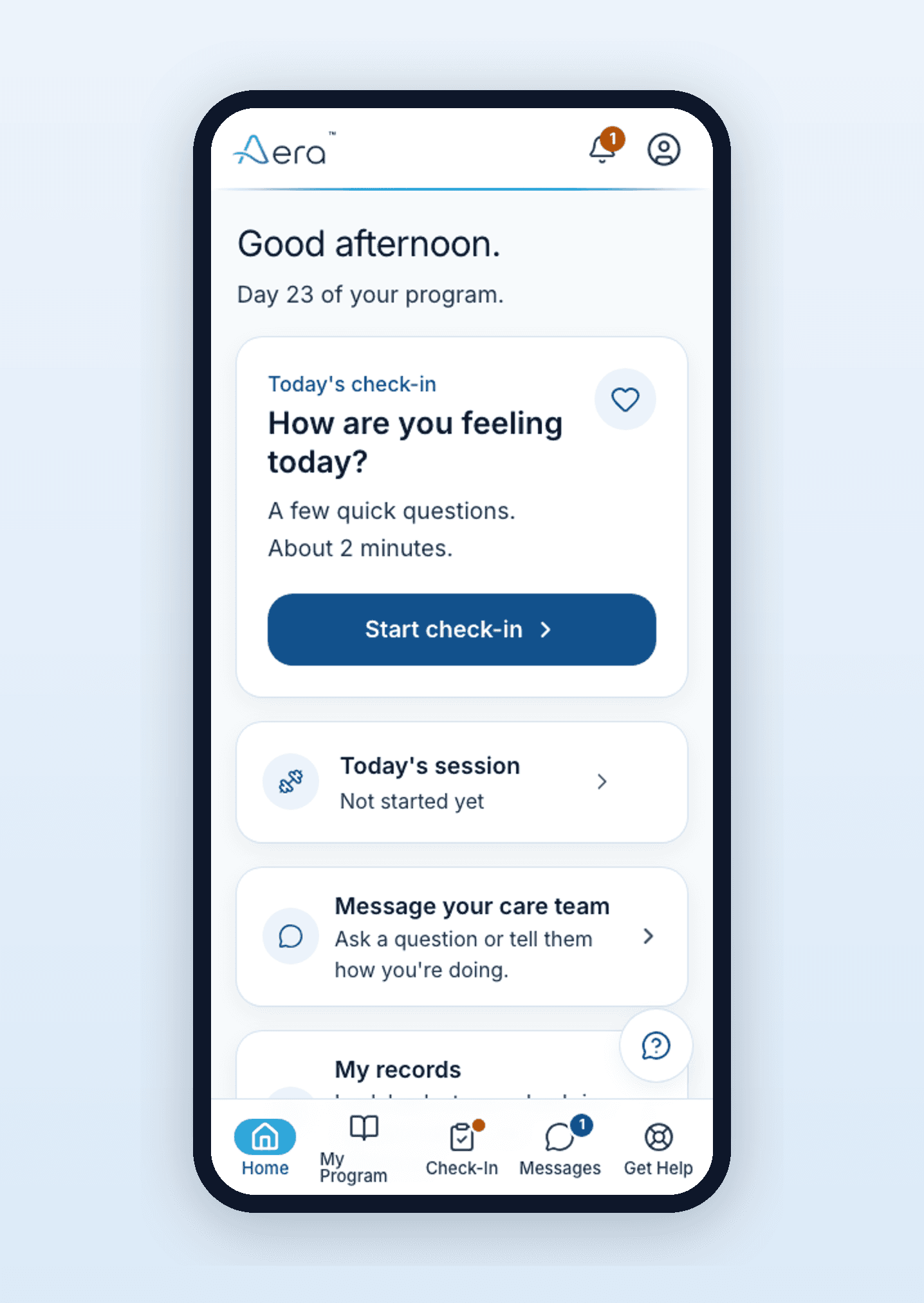
Big buttons, one thing at a time
Each screen asks one simple question with large, tappable answers — no tiny menus, no clutter.
It reads questions aloud
A “Read this to me” button speaks the screen, so reading glasses or tired eyes aren’t a barrier.
Plain language, large text
No medical jargon and no fine print — just clear words at a size that’s comfortable to read.
No app store, no passwords to remember
It opens right in their phone’s web browser. Set it up together once, and it’s ready to go.
Peace of mind, not pressure
You don’t have to watch over them around the clock.
Signing up a loved one should ease your worry, not give you another job. Here’s what you will receive, and what you won’t.
What you get
- Clear summaries of how their week is going.
- An easy way to see whether they’ve been keeping up with their routine.
- The reassurance of knowing, without having to ask.
What you don’t get
- No middle-of-the-night emergency alerts to react to alone.
- No pressure to be the one who decides what’s urgent.
- Clinical decisions stay with their care team. That’s their job, not yours.
You get summaries, not alarms, and their care team handles the clinical side.
How setup works
From your request to their first check-in.
Getting started is the part families ask about most, so here’s how it works.
- 01
You request access
Start on their behalf by choosing “I’m a family member or caregiver.” You can also do this together with their clinician or program.
- 02
You set it up together
During a visit or a phone call, walk through the first sign-in and one daily check-in together. You or their nurse can help answer the clinical questions.
- 03
They take it from there
From then on, it’s part of their daily routine, and you can follow along. They control what’s shared with you.
Help them stay on track.
It only takes a few minutes to get started.